
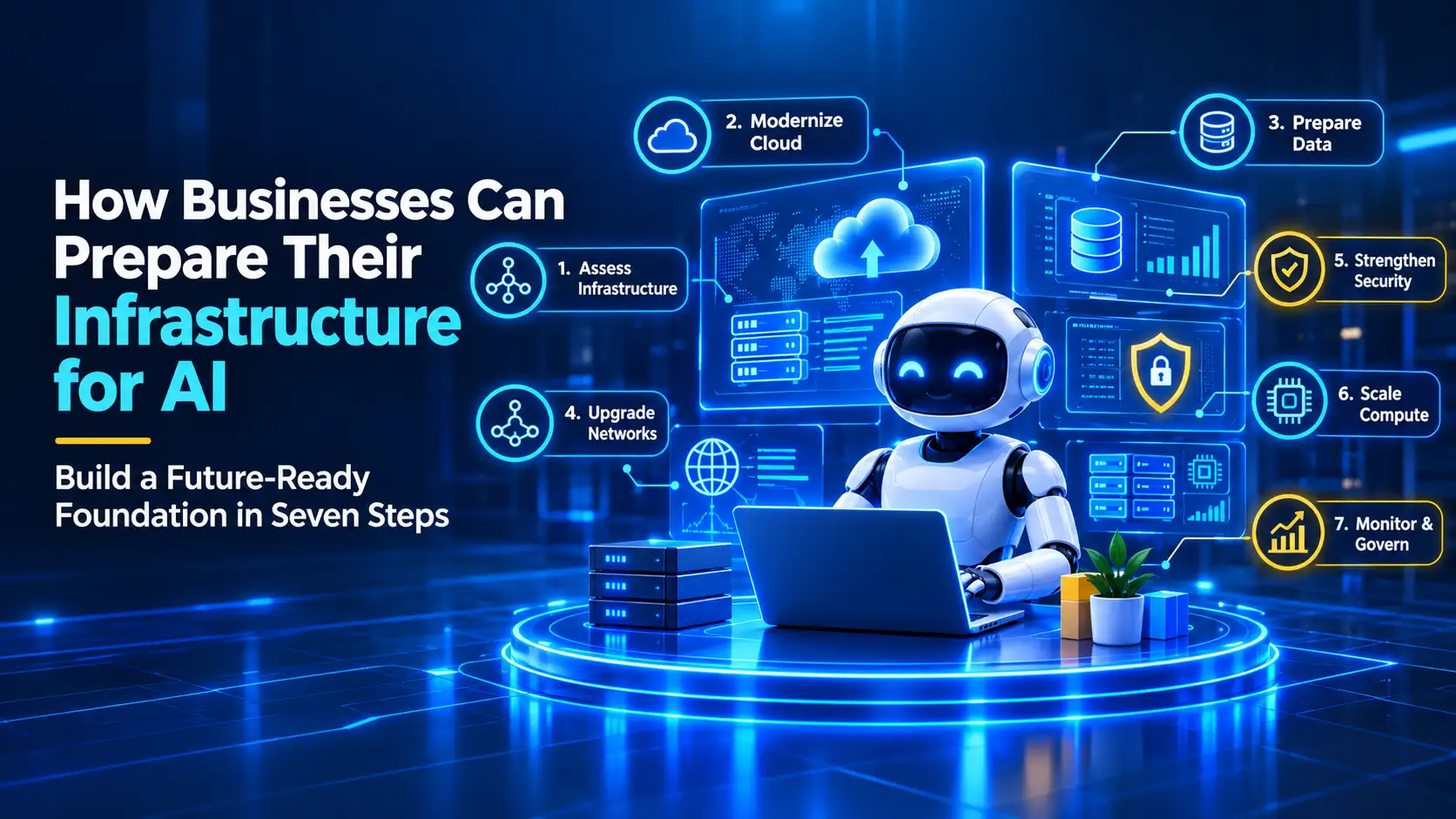
How businesses can prepare their infrastructure for AI starts with aligning data, compute, networking, storage, cloud, and security to specific AI workloads. That alignment helps those workloads run reliably, securely, and at predictable cost. Gartner, the global business and technology research firm, projects in its September 2026 forecast that worldwide AI spending will reach $2.7 trillion in 2026, up 49.5% year over year.
Higher spending alone does not ensure that AI projects succeed. IDC, the global market intelligence firm, raised its forecast for worldwide AI infrastructure spending in 2026 to $497 billion in a July 21, 2026 release, a 56% increase over 2025. IDC’s figure covers AI infrastructure only, a narrower market than Gartner’s total AI spending forecast, so the two are not directly comparable.
Gartner also forecasts that, through 2026, organizations will abandon 60% of AI projects unsupported by AI-ready data. AI investment is rising, while data readiness remains an important risk to successful implementation. Understanding the differences between edge AI and cloud AI can help businesses evaluate their infrastructure options based on data needs, latency, and deployment requirements.
Hotbit Infosoft, a digital-first technology company specializing in AI Automation, Product Engineering, Business Transformation, Cloud, Team-as-a-Service, and iGaming & Fantasy solutions, maps the seven steps that move a business from AI pilots to production-grade infrastructure.
What Is AI-Ready Infrastructure?
AI-ready infrastructure is the combined set of data pipelines, compute resources, networks, storage, cloud environments, and security controls that lets a business train, deploy, and run AI models reliably at scale. It differs from traditional IT infrastructure because AI workloads demand sustained compute, fast data movement, continuous data quality checks, and strict governance.
An AI-ready environment does not require a single architecture or a full replacement of existing systems. Each layer must match the AI workloads the business intends to run. Companies often begin with cloud infrastructure services to close the largest gaps first, then extend the same foundation to new use cases as demand grows.
Understanding the framework: five core layers
- Data: governed, quality-checked pipelines aligned to specific use cases
- Compute: processing power matched to each workload
- Network and storage: throughput that keeps expensive processors fed
- Cloud environment: public cloud, on-premises, or hybrid hosting
- Security and governance: access control, lineage tracking, and audit trails
Why Infrastructure Readiness Determines AI Success
Infrastructure readiness determines AI success because models are only as reliable as the data, compute, and controls beneath them. Research indicates that many organizations still face gaps in AI readiness. According to Cisco’s AI Readiness Index, approximately 13% of surveyed organizations are fully prepared for AI across six areas: strategy, infrastructure, data, governance, talent, and culture. Understanding the differences between traditional SaaS and AI-native SaaS can also help businesses evaluate how their software architecture supports AI adoption.
Data readiness is a significant challenge. According to a Gartner survey of data management leaders, published in February 2025, 63% of respondents said their organizations either lack the right data management practices for AI or are unsure whether they have them. Poor data readiness can contribute to stalled pilots, remediation costs, and a greater risk of project abandonment.
Readiness also supports return on investment. In Gartner’s January 2026 release, analyst John-David Lovelock noted that AI adoption depends on the readiness of human capital and organizational processes, not only on financial investment. Pairing AI Automation initiatives with infrastructure planning can support more reliable scaling when compute, data, and governance requirements are addressed early.
Step 1: Audit Your Current Infrastructure Against AI Use Cases
An infrastructure audit compares what a business runs today with what its planned AI use cases will demand. Start by listing the two or three AI use cases with the clearest business value. Then inventory the servers, storage, networks, data sources, applications, and identity systems each use case touches.
Score every layer on capacity, latency, data quality, security, and cost visibility. Cisco’s AI Readiness Index, with its six areas of strategy, infrastructure, data, governance, talent, and culture, offers a useful scoring frame. The output is a gap list ranked by business impact, with an estimated cost and owner for each gap.
Treat the audit as part of a wider Business Transformation roadmap. Infrastructure decisions made without a use-case list tend to overbuild in some layers and starve others.
Step 2: Build an AI-Ready Data Foundation
An AI-ready data foundation is data that is aligned to specific use cases, governed, quality-checked, and delivered through automated pipelines. Gartner states that data with issues is not ready for AI. It recommends aligning data sources to AI use cases, setting governance requirements, preparing pipelines for training and live production feeds, and monitoring quality through DataOps and data observability practices.
Gartner describes AI-ready data as an ongoing practice rather than a one-time project. Businesses should therefore fund metadata management, lineage tracking, and quality monitoring as permanent capabilities. Dashboards and a data warehouse show reporting maturity, but they do not prove AI readiness.
Read more about data quality and AI in Hotbit’s insights library.
Step 3: Right-Size Compute for AI Workloads
Right-sizing compute means matching processing power to the specific AI workload instead of buying maximum capacity for every task. Training large models needs sustained accelerator capacity. Inference, the stage where a trained model answers requests, often runs well on smaller or cheaper resources.
IDC reports growing demand for AI infrastructure that does not rely on GPU acceleration, including data-pipeline workloads and CPU-only inference clusters. Benchmark your specific workloads before investing in accelerators, then choose between GPUs, CPUs, or managed cloud accelerators.
Kubernetes, the open-source platform for managing containerized applications, helps teams schedule AI jobs and scale resources up or down on demand. Teams building custom AI products can pair it with Product Engineering practices that design models and services for efficient deployment from the start.
Step 4: Upgrade Network and Storage for Data-Heavy AI
Network and storage upgrades remove the bottlenecks that slow AI training and inference. AI workloads move large datasets between storage, compute, and applications, so low latency and high bandwidth directly affect model speed and cost. Networks can become a bottleneck for high-throughput AI workloads, depending on topology and existing capacity.
Storage deserves early attention. According to IDC, storage accounted for 2.4% of worldwide AI infrastructure spending in the first quarter of 2026, while servers accounted for 97.6%. Businesses that spend heavily on compute without matching storage and data throughput risk leaving expensive processors idle.
Retrieval-based generative AI applications often need fast document retrieval, so indexing, caching, and database design can significantly affect response time and operating costs. Plan these paths before launch to prevent slow responses and surprise bills.
Practical upgrades include:
- Higher-bandwidth, low-latency links between data and compute
- Tiered storage that keeps active training data on fast media and archives on cheaper media
- Vector databases, where the retrieval design and workload justify one
- Caching layers that cut repeated data transfers
Step 5: Choose the Right Cloud, On-Premises, or Hybrid Model
Hybrid infrastructure is one option for AI programs that need to balance data sensitivity, workload flexibility, performance, and cost. Maintaining data quality for AI is also essential when deciding which workloads belong in public cloud, on-premises, or hybrid environments, as each model fits different requirements. Learn more about data quality and AI to understand how reliable data supports AI initiatives.
Public cloud offers fast access to accelerators and elastic scaling. On-premises infrastructure offers greater control over data and can suit steady workloads, though hardware refreshes, power, staffing, and access controls still affect cost and security.
Hybrid infrastructure can keep selected sensitive workloads on-premises while using cloud resources for additional capacity, subject to data residency, security, and workload requirements.
Factor | Public Cloud | On-Premises | Hybrid |
Best for | Experiments, variable workloads | Steady, high-volume workloads | Mixed sensitivity and demand |
Upfront cost | Typically lower | Typically higher | Variable, depending on architecture |
Scalability | Elastic, on demand | Limited by owned hardware | Elastic for burst workloads |
Data control | Shared responsibility with provider | Direct control, with security managed in-house | Sensitive data can stay local |
Time to start | Fast | Slow (procurement and setup) | Moderate |
Cost predictability | Variable with usage | Higher for steady loads, plus refresh and staffing costs | Varies with workload split |
Regional rules matter as well. According to IDC, the Middle East and Africa was the fastest-growing region for AI infrastructure spending in the first quarter of 2026, up 233% year over year, with growth led particularly by Saudi Arabia and the UAE. IDC attributes the broader trend in part to government-backed sovereign AI initiatives.
Hotbit Infosoft designs hybrid and multi-cloud architectures through its Cloud pillar for businesses that must balance performance with data residency.
Step 6: Embed Security, Governance, and Compliance
Security and governance for AI means controlling who can access data and models, tracking where data comes from, and recording how models make decisions. Apply role-based access controls and strong authentication to training data, model files, and AI endpoints. Encrypt data in transit and at rest.
Governance needs its own infrastructure. Gartner recommends establishing AI data governance requirements that address legal and ethical risk, with legal and business leaders involved from the start. Lineage tracking, model versioning, and audit logs help teams trace outputs to relevant data, model versions, and system events.
These controls matter most for AI agents that act autonomously, as covered in AI Agents in the Workplace.
Step 7: Operationalize AI with Monitoring, Cost Control, and Skills
Operationalizing AI means running models in production with continuous monitoring, cost controls, and the right people. Monitor model accuracy, data drift, latency, and infrastructure utilization from the first deployment. Tag every AI workload to a budget owner so cloud and compute costs stay visible.
Cost control deserves a named owner and a monthly review. AI usage can grow faster than forecasts, so set budget alerts on cloud accounts, track cost per model request, and retire idle environments. Visible unit costs let finance and engineering teams decide together which AI workloads earn more capacity.
Skills are the final dependency. Cisco’s AI Readiness Index lists talent as one of its six readiness areas, and many businesses lack in-house data engineers, MLOps specialists, and cloud architects. Hotbit Infosoft’s Team-as-a-Service (TaaS) model places engineers directly inside your delivery team and can help fill capability gaps without the time some permanent hiring processes require.
Review the whole stack quarterly. AI workloads, security threats, and available technology all shift quickly, so infrastructure must keep adapting. If you need help assessing your current setup or planning infrastructure improvements, contact Hotbit Infosoft to discuss your business requirements.
How Businesses Can Prepare Their Infrastructure for AI: A Seven-Step Checklist
Confirm each step below is finished before moving an AI project into production.
- Name the top two or three AI use cases, the business metric each must move, and every system, data source, and network link each depends on.
- Define what AI-ready data means for each use case, and assign an owner for its quality.
- Benchmark each workload and choose the compute type that fits it.
- Test network latency and storage throughput under realistic data volumes.
- Select cloud, on-premises, or hybrid hosting based on data sensitivity and cost.
- Apply access controls, lineage tracking, audit logs, and model versioning.
- Set up monitoring, budget ownership, and a skilled team to run the stack.
Common Mistakes When Businesses Prepare Their Infrastructure for AI
A common mistake is buying compute before defining use cases. A business that purchases accelerators first often discovers that its data quality, network, or storage cannot feed them. Defining the use case first sets the requirements with evidence instead of guesswork.
Three other mistakes appear repeatedly:
- Treating data readiness as a one-time cleanup instead of a permanent practice
- Moving a successful pilot into production without testing scale, security, or cost
- Leaving governance and compliance until after launch, when changes are most expensive
The remedy is the same each time: sequence the work so every layer is ready before the next one depends on it.
How We Can Help: Hotbit Infosoft Builds the Foundation AI Runs On
Hotbit Infosoft combines Cloud architecture, data engineering, and AI Automation delivery under one team across its full service range, backed by 15+ years of experience, 100+ delivered success stories, 200+ global brands served, and work across 12+ industries. The team has a presence in India, Singapore, Mauritius, and Saudi Arabia and applies the seven steps above to your specific use cases. Talk to an Expert to turn your infrastructure into a future-ready foundation for AI.
Frequently Asked Questions About Preparing Infrastructure for AI
What infrastructure is needed for AI?
AI needs five core layers: governed data pipelines, scalable compute, fast networking, high-throughput storage, and strong security controls. Cloud, on-premises, or hybrid environments can host them. The right mix depends on the AI workload. A chatbot needs far less than a custom model trained on large datasets.
How do I prepare my business for AI?
Start with one or two high-value AI use cases. Audit your current systems against their needs. Fix data quality and governance first. Then right-size compute, upgrade networks and storage, and choose a cloud model. Finish by adding monitoring, cost controls, and skilled people to run AI in production.
What is AI-ready infrastructure?
AI-ready infrastructure is a technology foundation that supports AI workloads reliably at scale. It includes clean, governed data, flexible compute, low-latency networks, adequate storage, and security controls. Gartner defines AI-ready data as aligned to specific use cases, governed, and continuously quality-assured. Readiness is measured against the workloads a business plans to run.
Do you need GPUs to run AI?
Not always. Training large models usually needs GPUs or similar accelerators. Many inference tasks run well on CPUs or managed cloud services. IDC reports growing demand for AI infrastructure that does not rely on GPUs, including CPU-only inference clusters. Benchmark each workload before buying hardware.
Is cloud or on-premises better for AI?
Neither wins in every case. Public cloud suits experiments and variable workloads because it scales on demand. On-premises suits steady, high-volume workloads and strict data control. Hybrid infrastructure can keep selected sensitive workloads on-premises and use cloud resources for extra capacity.
Disclaimer
This article is for informational purposes only and does not constitute technical, legal, security, or financial advice. AI infrastructure requirements, costs, and performance vary by business and workload. Verify statistics and forecasts with their original sources before making infrastructure or investment decisions.