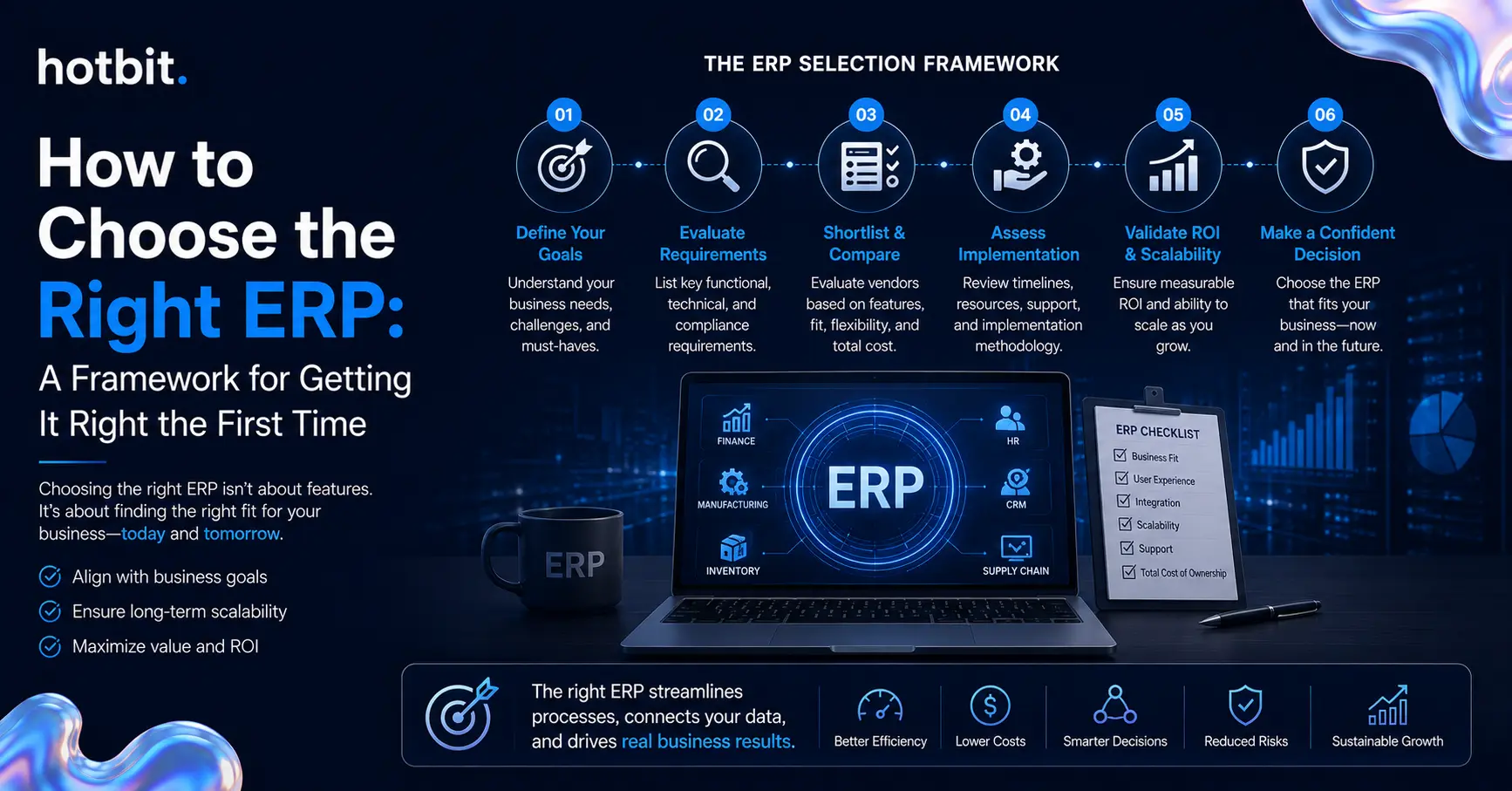
How to Choose the Right ERP: A Framework for Getting It Right the First Time

How to choose the right ERP is the highest-stakes technology decision most growing businesses will make this decade. Get it wrong, and you inherit years of workarounds built on top of a system that was never built for how your business runs. Get it right, and ERP becomes the operating backbone that lets you scale without adding chaos.

For businesses operating in technology-driven industries, it is also important to consider how their systems support cross-platform digital solutions across web, mobile, and other platforms.

According to Gartner, more than 70% of recently implemented ERP initiatives will fail to fully meet their original business case goals by 2027, and as many as 25% will fail catastrophically. Businesses should also watch for broader digital transformation warning signs that can indicate gaps in strategy, planning, and execution. The software is rarely the problem. The selection process is.

What Is ERP Selection?

ERP selection is the structured process of evaluating platforms against your specific business requirements, technical environment, and growth trajectory, not against a vendor’s feature list. It spans requirements definition, vendor shortlisting, scenario-based demos, total cost of ownership modeling, and reference checks before a decision is made.

Businesses should also consider whether a standard SaaS ERP can meet their needs or whether a more customized approach would be appropriate, especially when comparing custom software vs SaaS.

Done right, ERP selection treats the software as one part of a broader operating-model shift. The platform that wins the demo is not always the platform that fits how your business runs day-to-day.

The Six-Step ERP Selection Framework

Not all MFA is built the same, and the method you choose changes how much real protection you get.
familiar and easy to deploy, but generally weaker than authenticator-app and phishing-resistant methods due to SIM-swapping and interception risk.
1. Define requirements before vendor calls
Document the processes, compliance needs, and reporting outputs each department requires before a single vendor conversation happens. Requirements written after demos begin tend to mirror whatever the first vendor showed.
2. Map current-state workarounds)
Walk through how work actually happens today, spreadsheets included. The workarounds already in place are the clearest signal of what the new system has to fix.

3. Build a weighted shortlist

Score three to five platforms against weighted criteria: industry fit, scalability, integration depth, support model. Weighting forces the trade-off decisions early, before budget and politics make them harder to reverse.
4. Run scenario-based demos
and politics make them harder to reverse. Run scenario-based demos. Ask vendors to demo your workflows with your data, not their standard script. A scripted demo shows the ideal case; a scenario-based one shows how the system handles the exceptions that fill most real workdays.

5. Model the total cost of ownership over five years

Calculate licensing, implementation, integration, training, and support across five years, not just year one. Pricing that looks favorable upfront can invert once add-ons and integration middleware enter the picture.
6. Check references at your scale
Talk directly to reference customers who match your size and industry, and ask what went wrong before it got fixed. Vendor-selected references rarely volunteer problems unprompted.

Cloud vs. On-Premise: What to Weigh

  • Upfront cost: Cloud typically costs less upfront on a subscription model; on-premises carries the higher capital cost of hardware and licenses.
  • Deployment speed: Cloud deployments typically move faster; on-premises projects often take 12 months or more.
  • Control: On-premises gives you direct control over data residency; cloud shifts that control into a contractually governed vendor relationship.
  • Best fit: Growing, distributed businesses tend to favor the cloud. Regulated industries with strict data residency requirements often lean on on-premises.
Neither model is universally right. The choice comes down to your regulatory requirements, your IT staffing, and how fast you need to scale.

How to Choose the Right ERP Without Repeating the Common Mistakes

Gartner reports that 75% of ERP strategies are not strongly aligned with overall business strategy, a misalignment that can be influenced by how the system is selected in the first place. The mistakes behind that number show up early, and they repeat often:

Choosing an ERP without considering system integration can create problems later, especially when the business needs to connect its ERP with CRM platforms, payment systems, inventory tools, or other applications. system integration

  • Choosing software before requirements are documented
  • Letting IT specify the system without input from the departments that will run on it
  • Underestimating data migration effort
  • Evaluating vendors on brand recognition instead of industry fit
Each mistake is cheapest to fix at the selection stage. Reversing a platform decision after contracts are signed costs far more than getting the requirements phase right the first time.

How Hotbit Infosoft Can Help

Hotbit Infosoft is a digital-first technology company specializing in AI Automation, Product Engineering, Business Transformation, Cloud, Team-as-a-Service, and iGaming & Fantasy solutions. Our Business Transformation team treats ERP selection as an operating-model decision, not a software purchase, keeping your requirements and process fit at the center of the recommendation. Talk to an expert, and let’s scope your ERP requirements before you talk to a single vendor.

Frequently Asked Questions (FAQs)

How do I know which ERP is right for my business?

The right ERP depends on your business processes, industry requirements, budget, integration needs, scalability, and long-term growth plans. Start by defining requirements before comparing vendors.
Consider functionality, industry fit, scalability, integrations, deployment model, implementation costs, ongoing support, data requirements, security, and total cost of ownership.
Neither is universally better. Cloud ERP can offer faster deployment and easier scalability, while on-premise ERP can provide greater direct control over infrastructure and data residency. The right choice depends on your business requirements.
ERP implementation costs vary significantly based on company size, software, modules, integrations, customization, data migration, training, and support. A detailed requirements-based estimate is more useful than relying on a general industry average.
Implementation timelines vary depending on the ERP platform, business size, scope, integrations, customization, and data migration requirements. Larger or more complex ERP projects generally require more time and planning.